How it works
A day on the floor
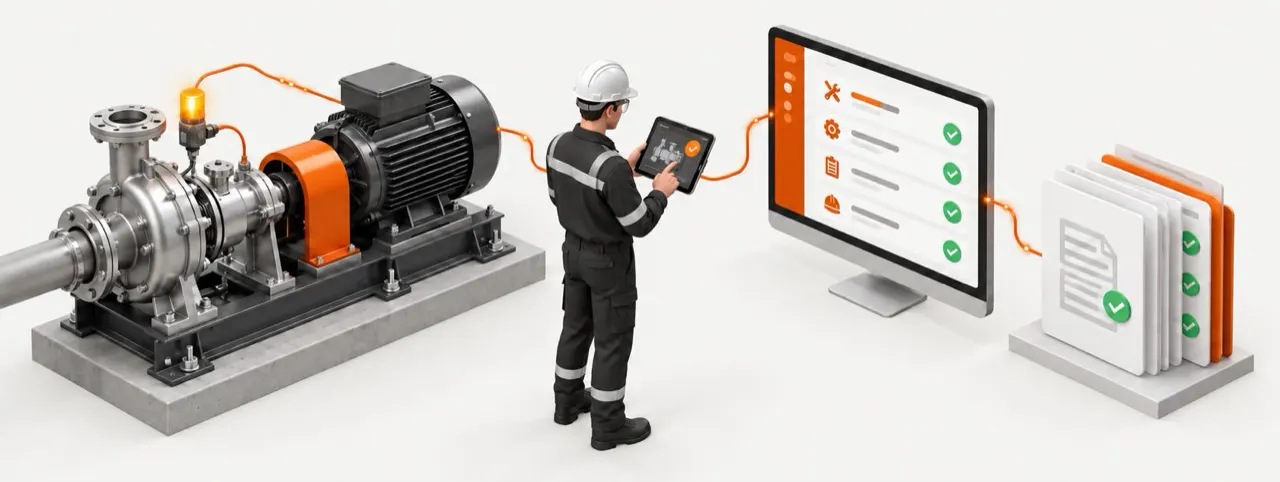
This page follows one illustrative day in a plant that runs on MaintenanceIQ, an industrial CMMS for maintenance, reliability and compliance. It shows what your planner, technicians, plant head and quality head each get from one shared record.
06:00Planner
Start the shift knowing what matters.
Your planner opens My Tasks and the morning digest. What is overdue and what is due today are already there, including PMs that came due on the calendar and PMs that came due because a machine ran its hours.
Every line carries its priority and the asset's criticality, so the press that is overdue on a critical PM comes before the routine conveyor check. No morning spent chasing spreadsheets, whiteboards and phone calls.
What you get
Less firefighting, more planned work.
How it works
- Work orders with priority, type and assignment
- Preventive maintenance on the calendar, on machine usage, or whichever comes first
- Asset criticality A, B and C
- A month calendar of PM work
- A morning digest of what is due
09:30Early warning
Hear about the problem days before the breakdown.
A bearing on pump P-07 vibrates a little more each day. The readings come in from your PLC, SCADA or IoT gateway, or from a manual round.
MaintenanceIQ checks each reading against the warning and critical limits you set, projects when the trend will reach the limit, and alerts the right people while there is still time to plan. If a reading goes critical, a breakdown opens on its own. With Asset Risk (Beta), MaintenanceIQ also suggests, based on the data already in your system, which machines are likely to struggle, and opens a draft preventive work order your planner accepts or dismisses.
What you get
Fix it in a planned stop, not an emergency.
How it works
- Warning and critical limits per asset parameter
- Drift-to-limit projection
- Alerts and auto-opened breakdowns
- Asset Risk (Beta): predictive maintenance from your own data, no AI theatre
11:00Technician
Everything the job needs, right at the machine.
Your technician scans the QR tag on P-07. The machine's history, open work and checklist come up on a phone or tablet. They work through the checklist, add readings, photos and files, log the parts they used and close the job.
If they report a breakdown, MaintenanceIQ suggests likely causes, parts often used and the usual priority, drawn from your own past repairs. Every hint can be overridden.
What you get
Less paperwork, faster fixes, nothing lost.
How it works
- Installable mobile app
- QR and barcode scan
- Photo and file capture
- Typed checklists
- Breakdown triage hints from your own history
The app installs from the browser and loads when the signal drops. Saving work needs a network connection.
17:00Plant head
End the day knowing where the plant stands.
Uptime, PM compliance and the machines costing the most downtime, calculated from the work your team logged today, not from a spreadsheet someone built last month.
Availability comes from the downtime you log, and shift logs from your machine sensors add performance and quality for OEE. Build a filtered report, export it, or schedule it. Every Monday a reliability report goes to your managers.
What you get
Decide on spares, people and replacements with facts.
How it works
- OEE, MTBF, MTTR and PM compliance
- Bad-actor ranking
- Maintenance cost by asset and area
- Report builder with CSV export
- Weekly reliability email
Audit dayQuality head
Walk into the audit already assembled.
Every calibration, PM, breakdown closure and checklist from the year is already stored and mapped to your standard. One click builds the evidence pack: asset register, PM compliance, calibration log, work order history, breakdowns through to corrective action and closure, and checklist records.
A gaps summary and readiness score show what is missing before the auditor does. Each pack is frozen as a record that cannot be edited, and you can sign it electronically if your process needs it.
What you get
No more evidence hunts before an audit.
How it works
- Immutable evidence packs for VDA 6.3, IATF 16949, FSSC 22000 and ISO 55001
- Readiness score and gaps summary
- Optional e-signature
The loop behind every moment
Capture, prioritize, prove.
Capture the work. Requests, breakdowns, PMs, readings, photos, parts and history in one record.
Point to the next action. Criticality, downtime, overdue PMs and audit gaps send the team to the right work.
Prove what happened. Completed work becomes searchable history and audit evidence for every asset.
Getting started
Make it your day, one line at a time.
- 01
Pick one line.
Choose the line or asset group where downtime hurts most.
- 02
Prove it there.
The first early warning, the first planned fix and the first audit-ready evidence pack.
- 03
Extend.
Roll the same record out across the plant and your other sites.